Onboarding mockup: round 2
TODAY = the "combined" version Cam walked through. AFTER = this folder, with his feedback applied.
Open the mockup Open the handoff for Shaan's agent1 · The task row in step 3 (account creation)
Cam: "it just looks like a normal checkbox". It now sits after "Confirm she's signed in", looks like the v9.1 task, and shows Sent, Waiting, Done.
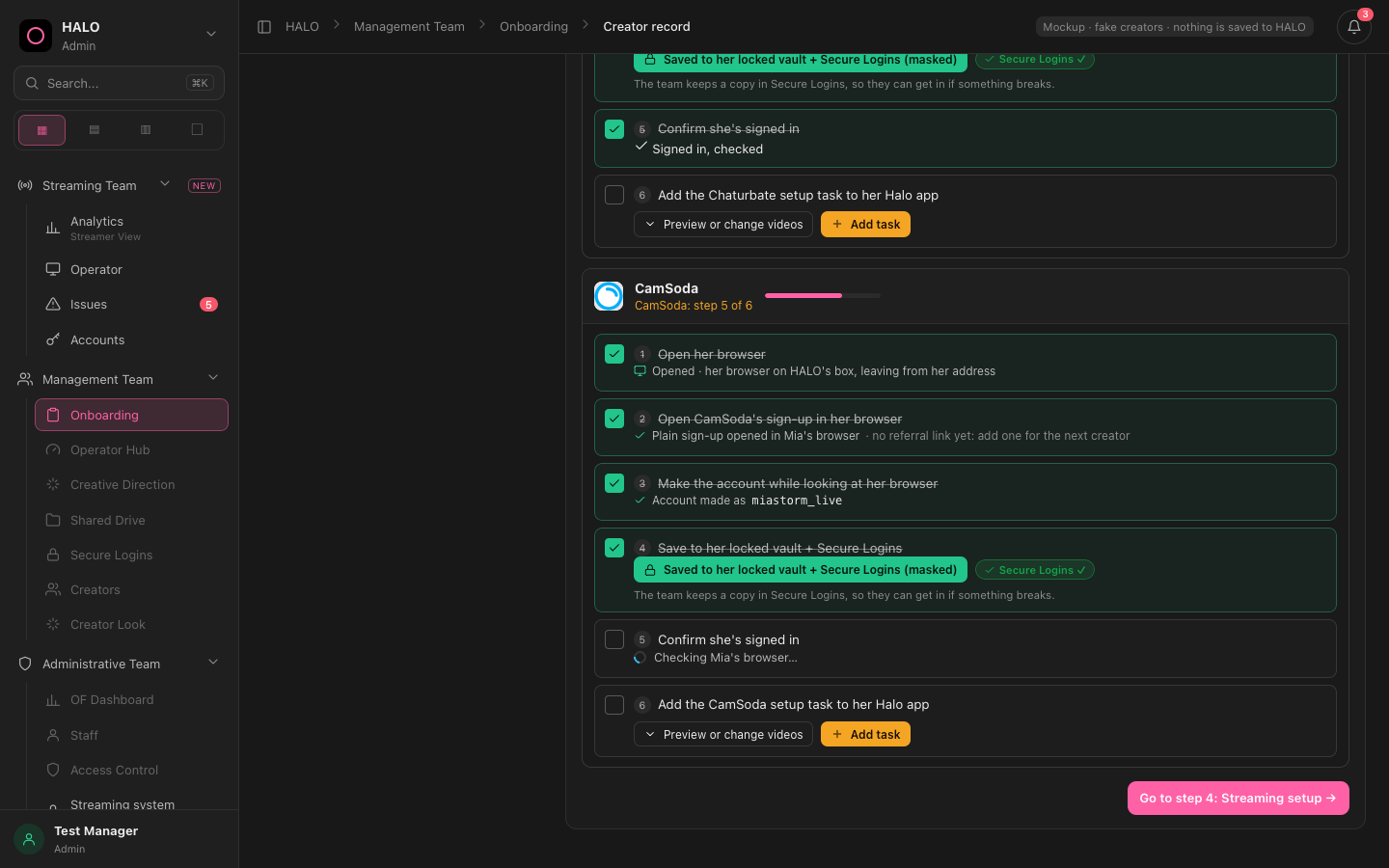
Unlocks after the vault save, before she is confirmed signed in. No sent / waiting / done.
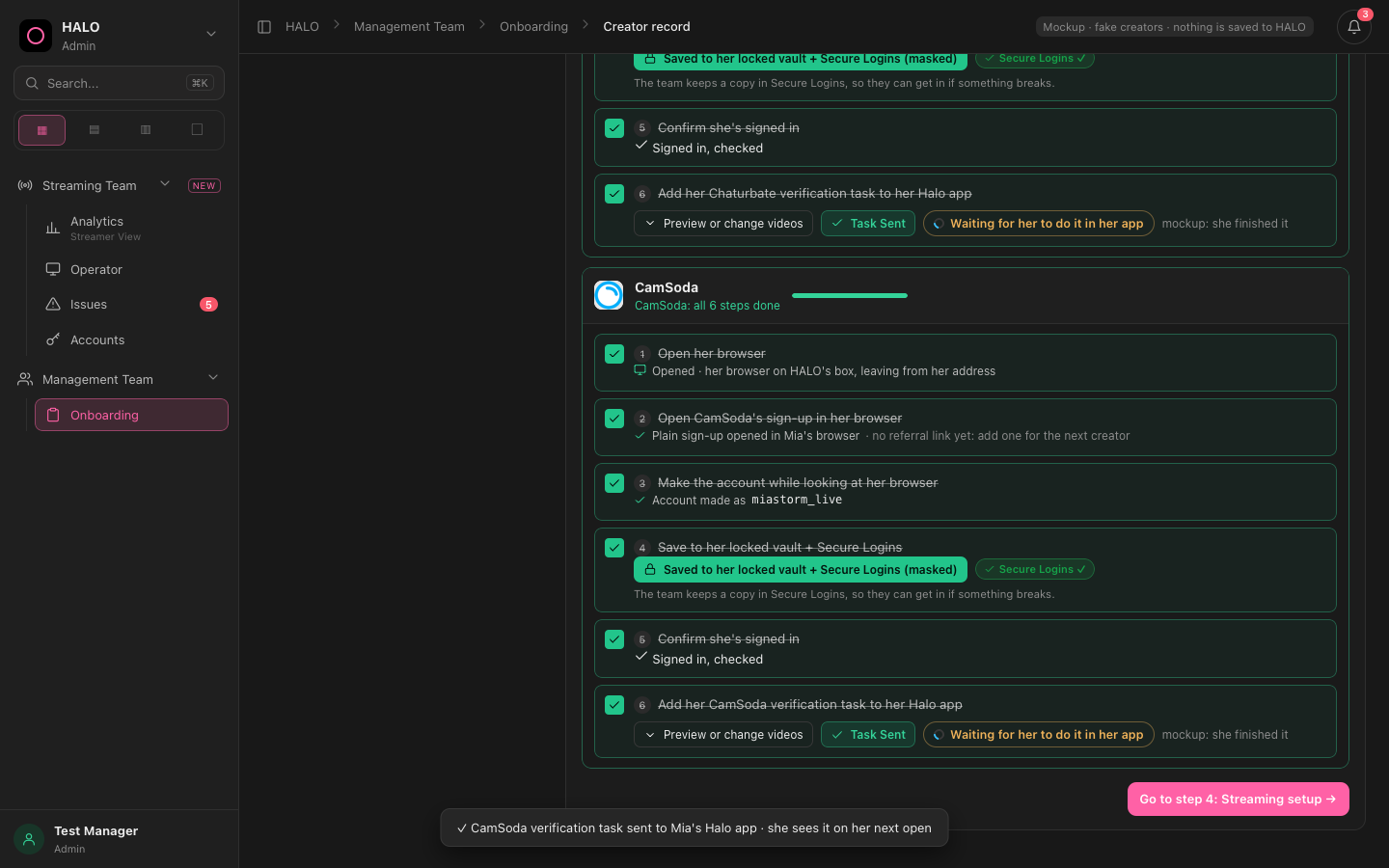
Unlocks only once she is signed in. Orange Add task, Preview or change videos, then Task Sent and Waiting for her, then Done.
2 · Step 4 (streaming setup) and the approval panel
Cam: don't show the "HALO does this by itself" list, remove "Send her the streaming app link", and step 4 is only the boring per-site setup.
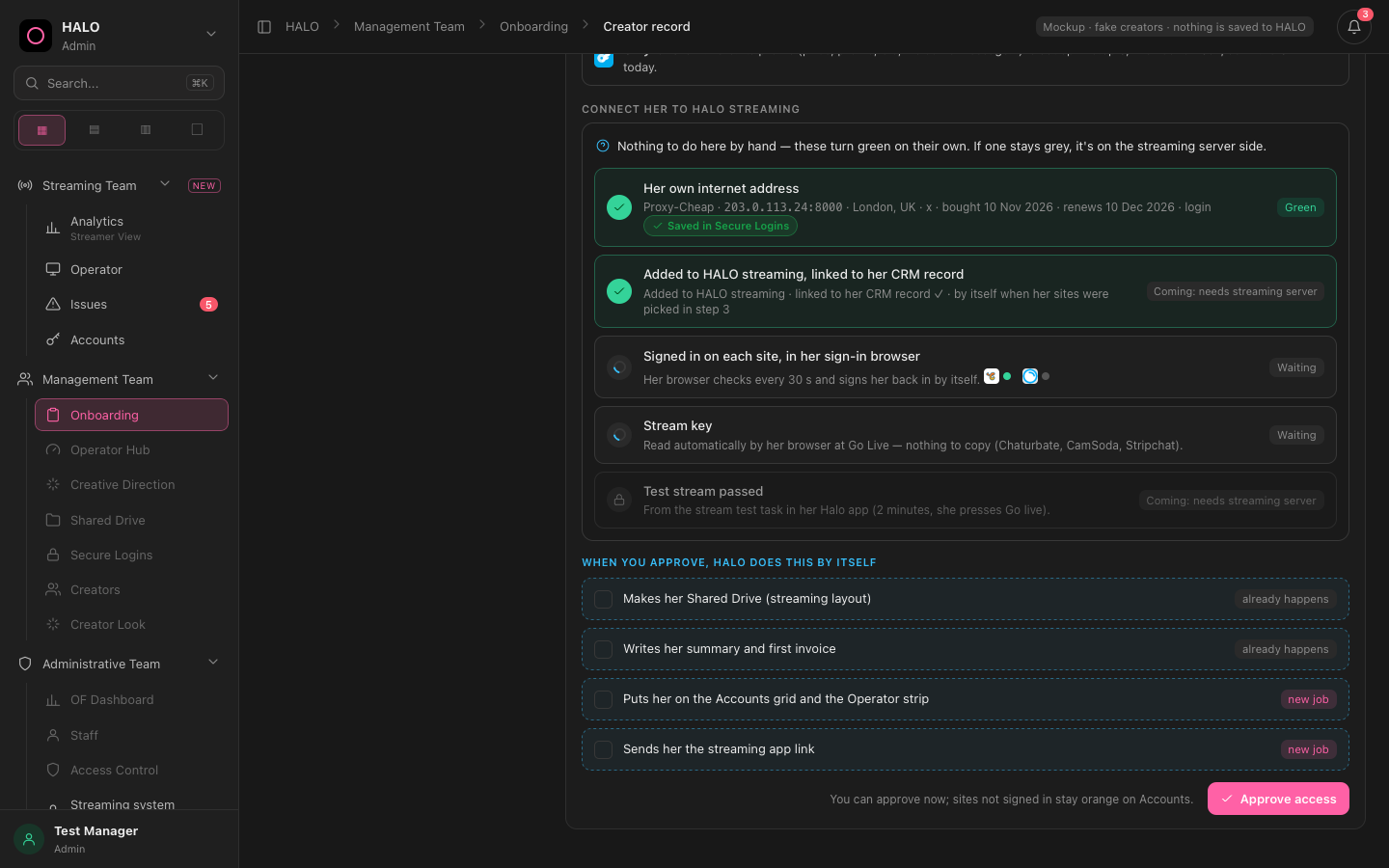
A "Connect her to HALO streaming" block (including a test stream), plus a list of 4 automatic jobs including "Sends her the streaming app link".
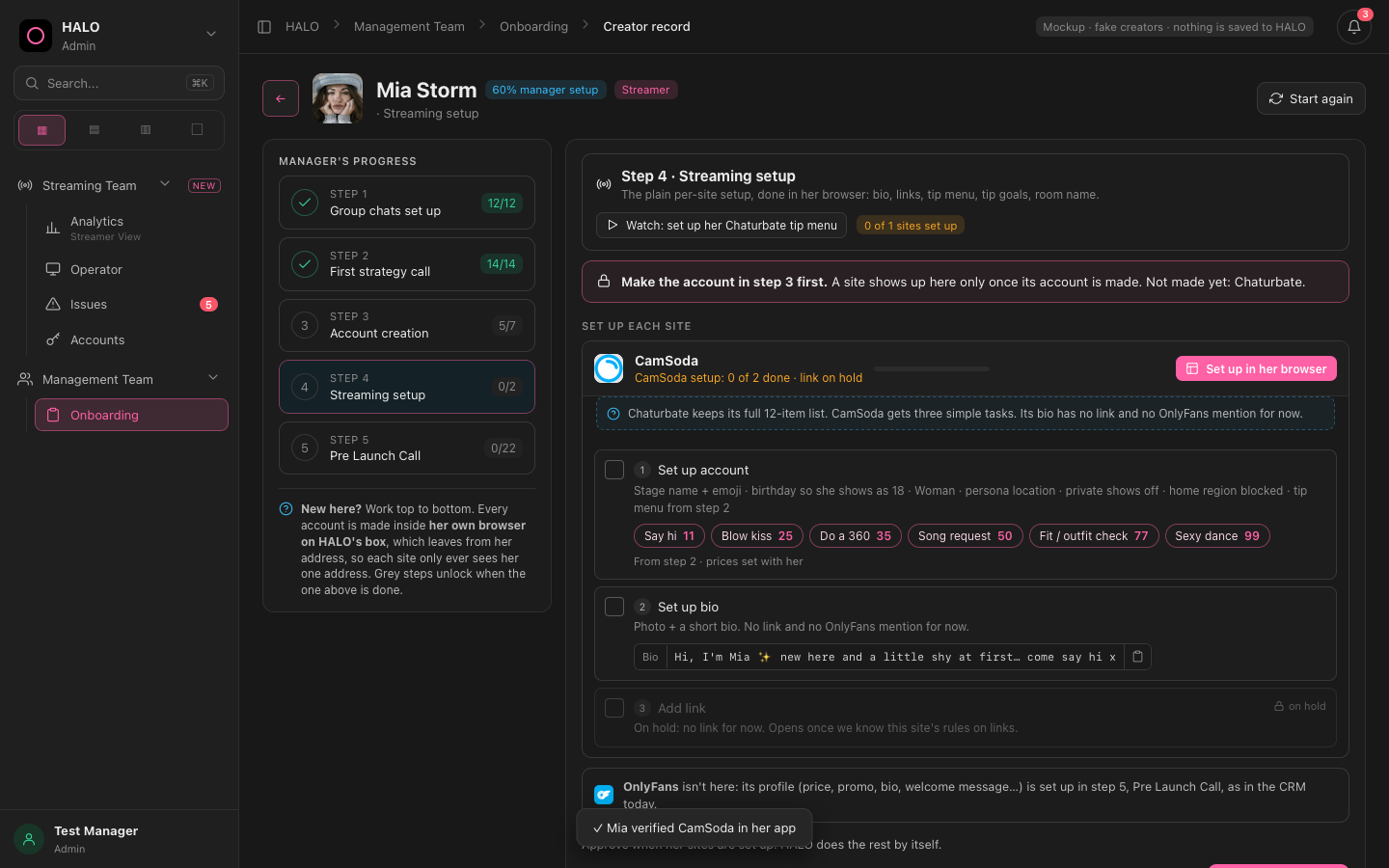
Only sites whose account is made appear. The rule is written plainly: "Make the account in step 3 first". One quiet line instead of the list. No verification tasks here.
3 · The menu
Cam: only today's menu. Analytics, Operator, Issues, Accounts, and Onboarding under Management Team. No buttons to old pages.
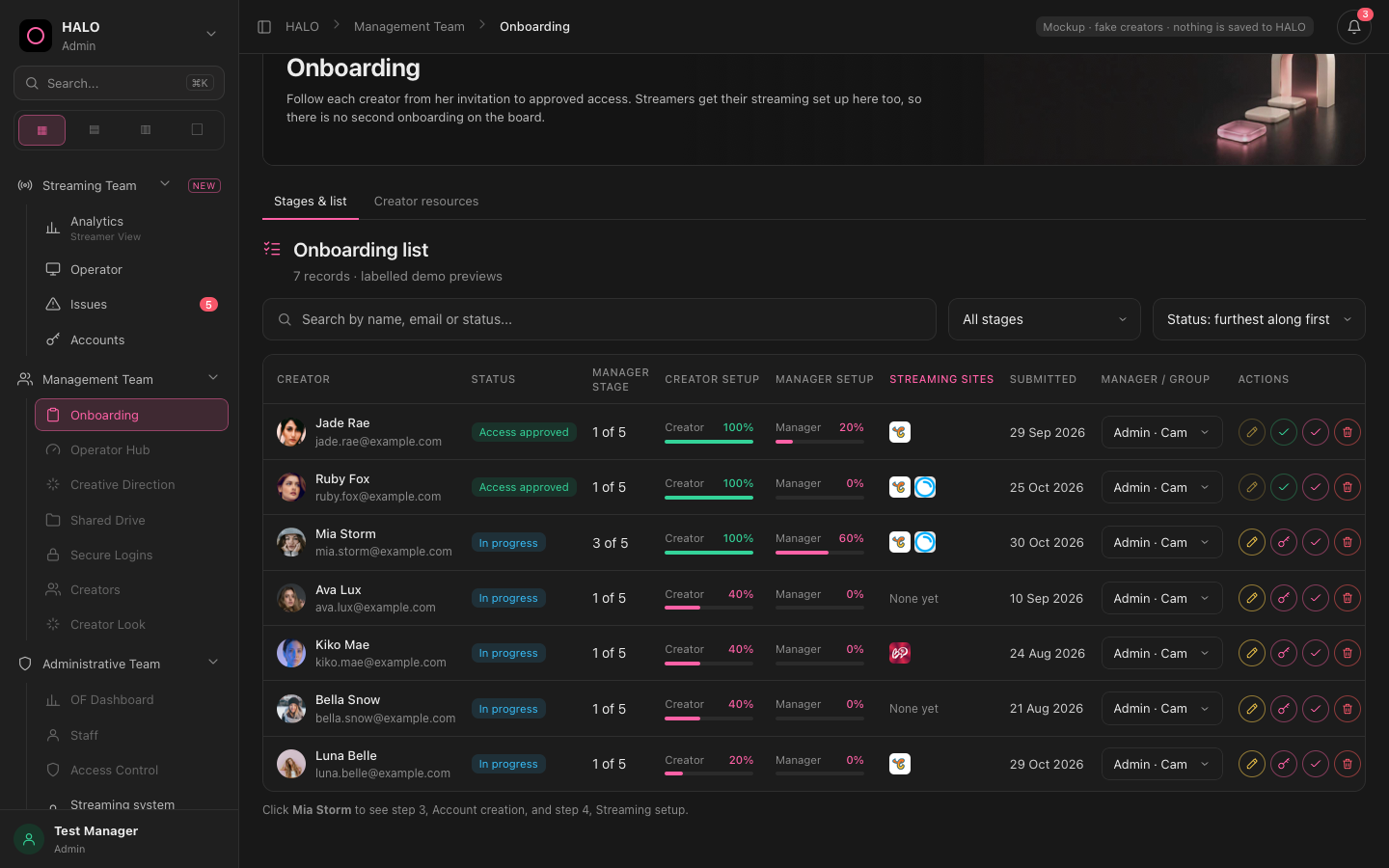
Extra greyed items (Operator Hub, Shared Drive, Staff…), two more groups, and a "Streaming system" page.
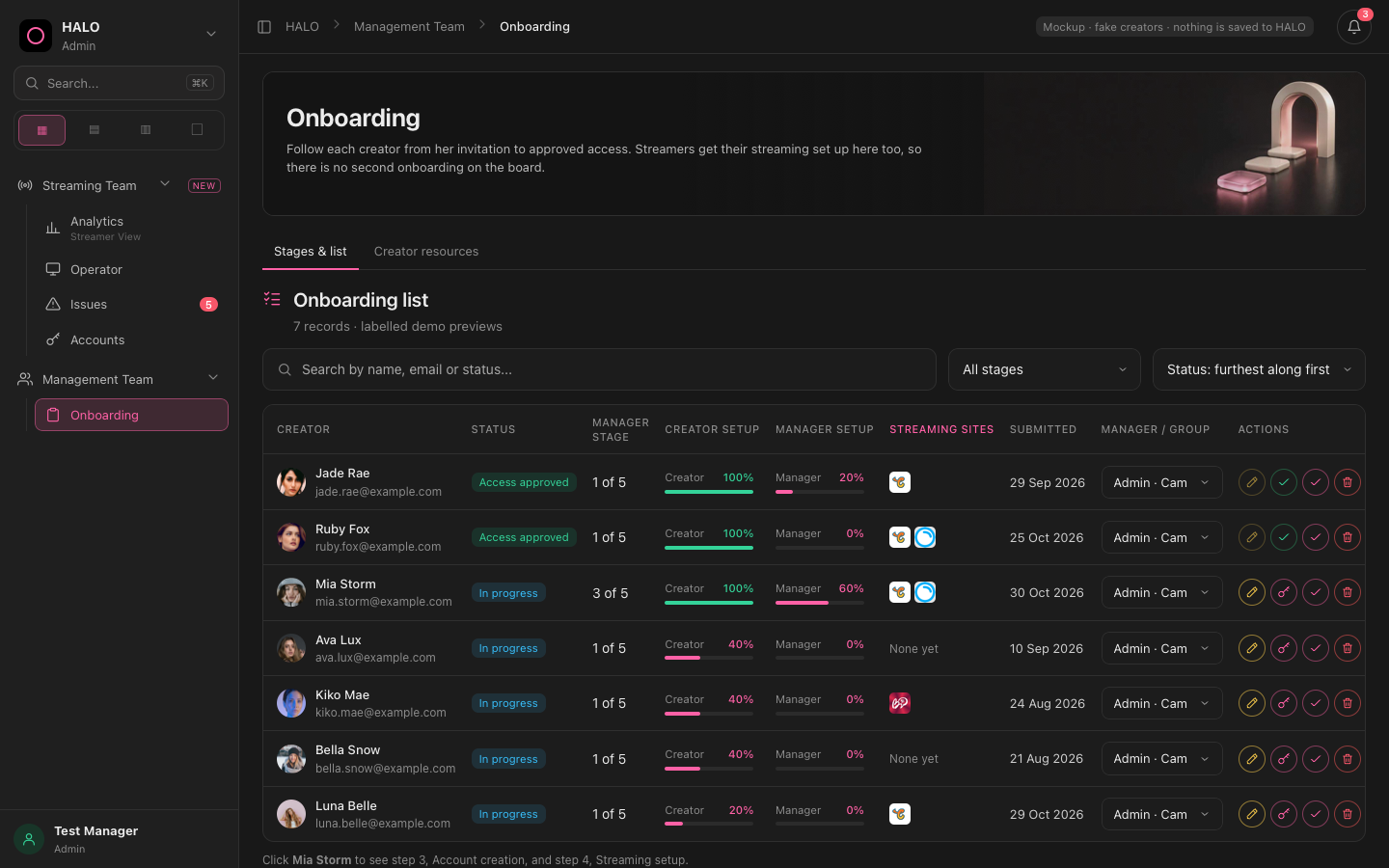
Five links, nothing else. Every link and button was clicked in an automatic test: none leads to an old page.
Kept exactly the same
Steps 1, 2 and 5 · the IP choice (generate or use one we own) · the box banner in Her browser · Open her browser (split view) · the Start again button.